
Internal Shared Marketing Site
WHERE: San Ramon, CA
WHEN: June-September, 2019
ROLE: UX Designer, UX Researcher,
TOOLS: Adobe Illustrator, Microsoft Sharepoint, User Interviews, Personas, Storyboarding, Wire-framing
Project Overview
rfxcel is a technology company that specializes in track and trace software for the pharmaceutical, food & beverage, government, and consumer products industry.
The first project I worked on for my summer 2019 internship was constructing a new Internal Marketing SharePoint page shared with all rfxcel employees. I focused on improving site flow and usability based on the needs of employees from different departments. After interviewing employees about the original site, I was able to understand their frustrations regarding the many nested folders, the large amount of clicks to get to files, poor file naming convention, confusing navigation, and the abundance of inconsistency. Below, I will detail my journey of redesigning this new Internal Marketing SharePoint site.
Problem Statement
Employees have trouble accessing new materials from the marketing website because there is unclear organization, too many nested folders, and incorrect permissions.
Project Brainstorming
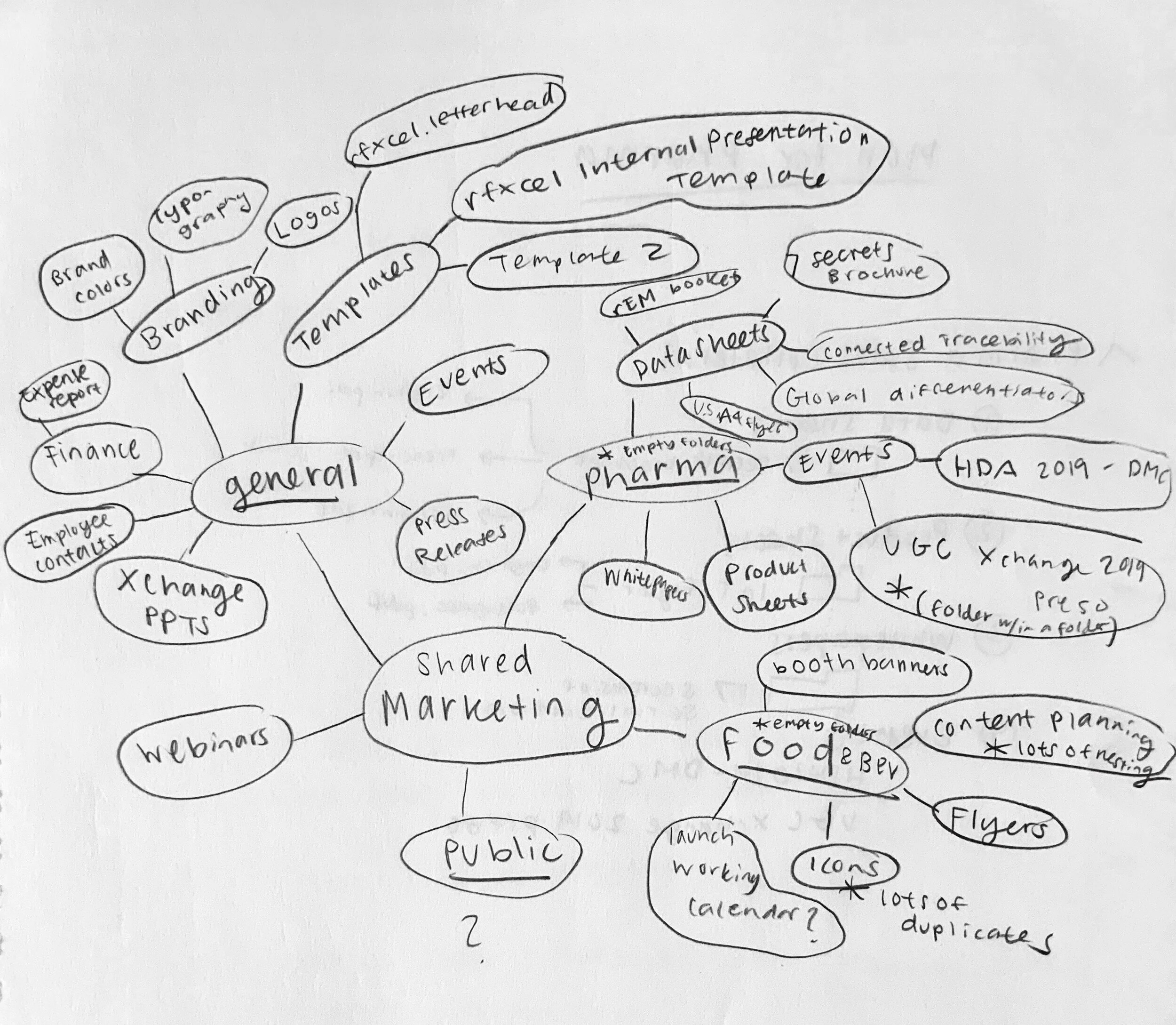
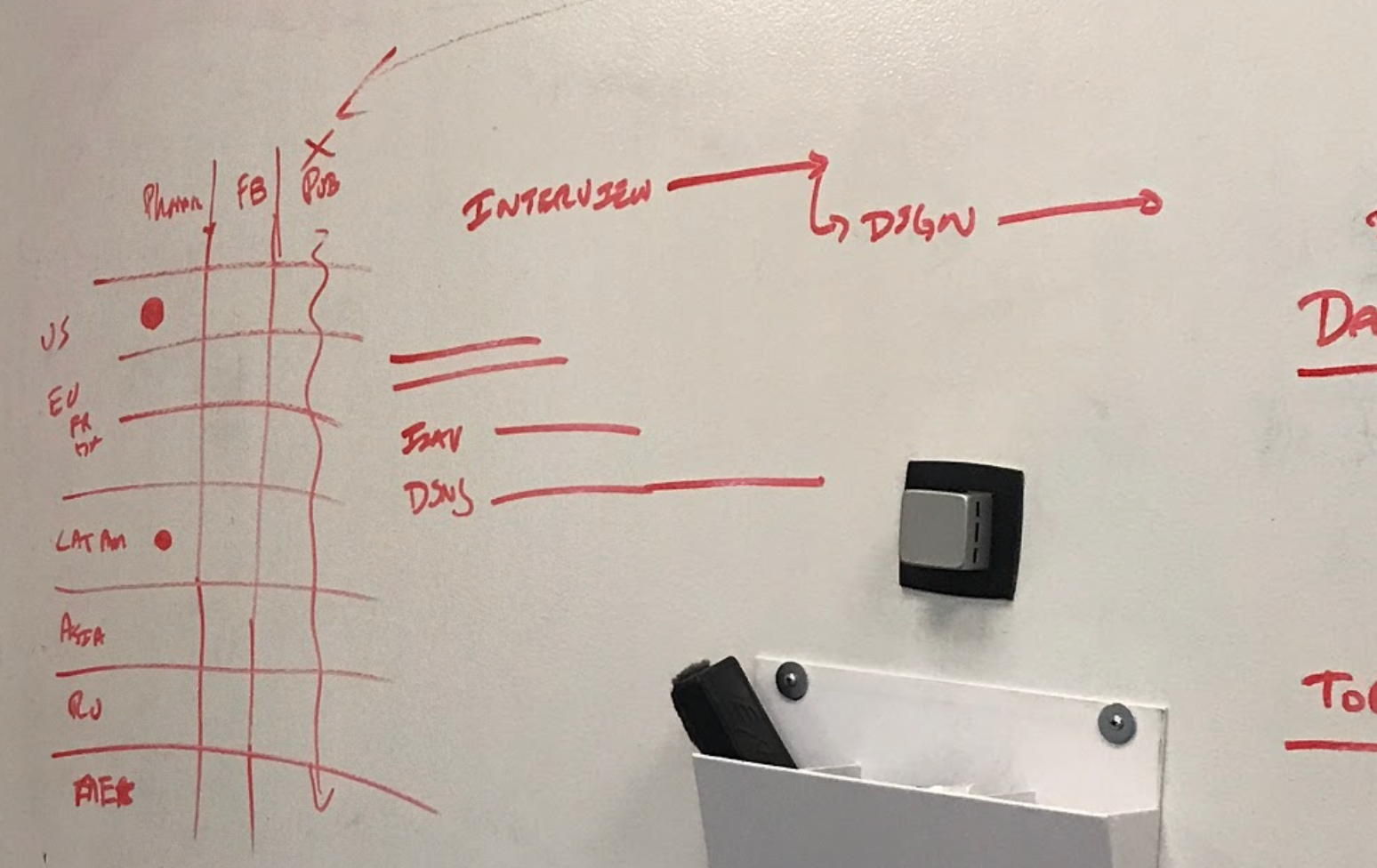
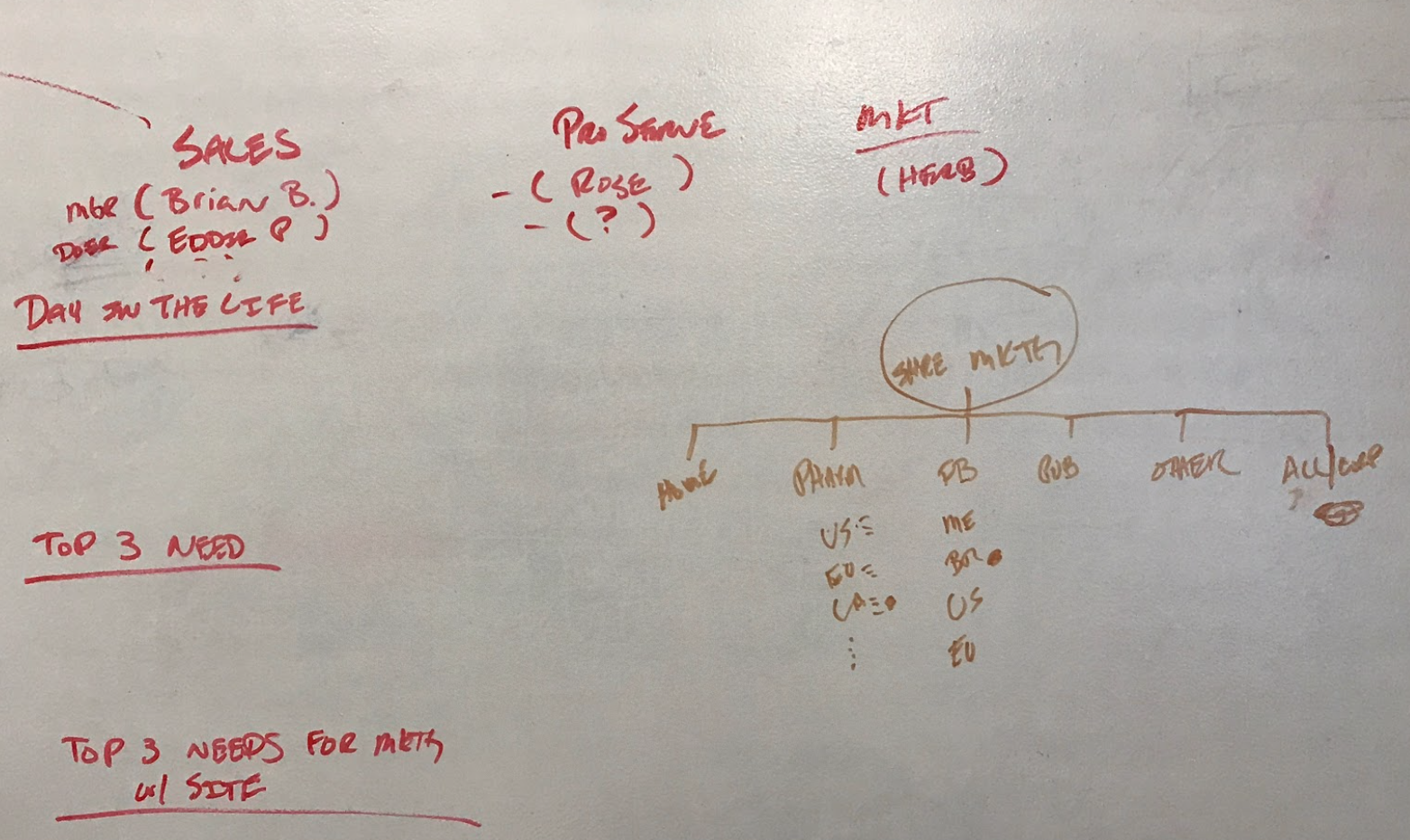
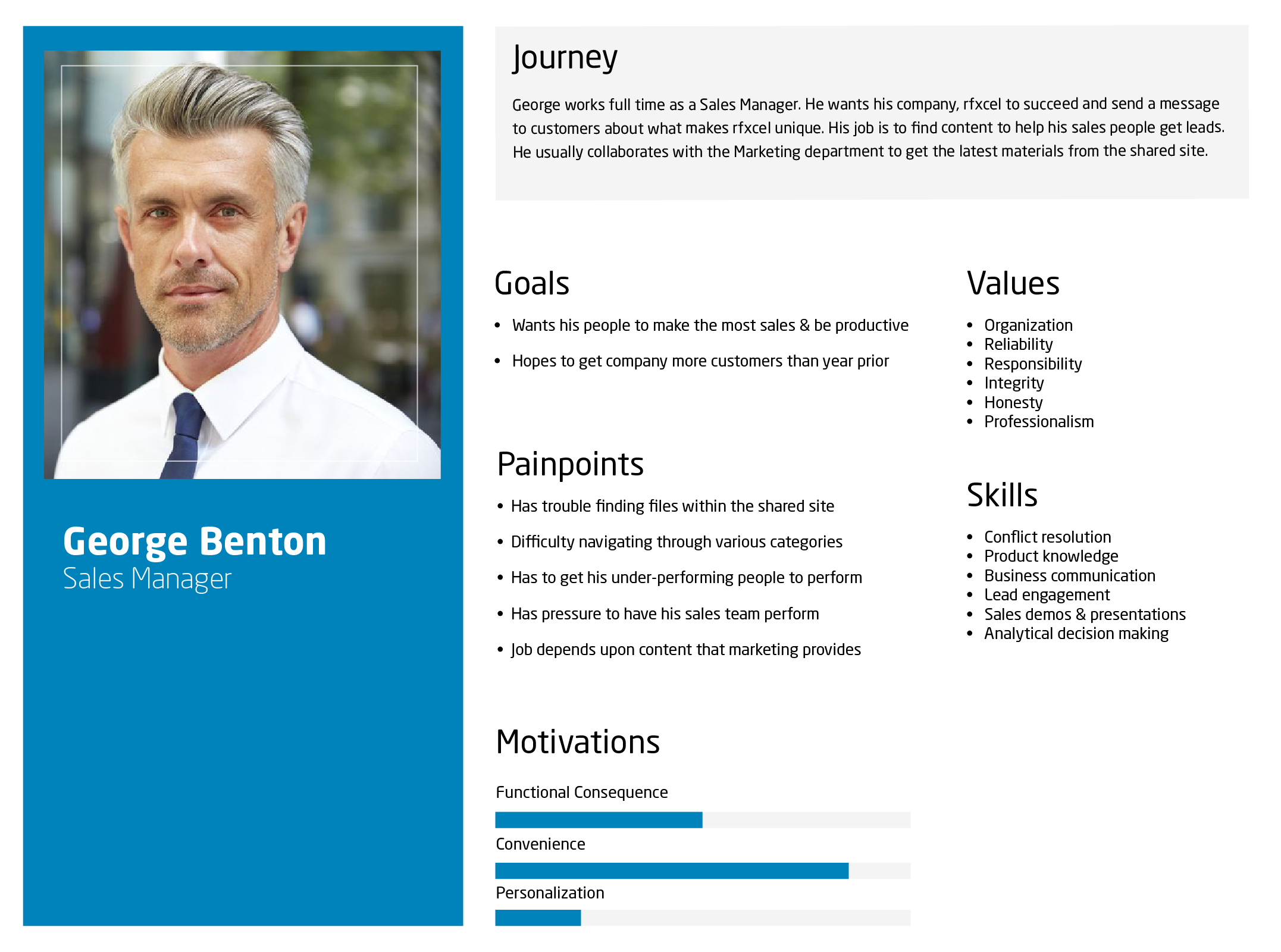
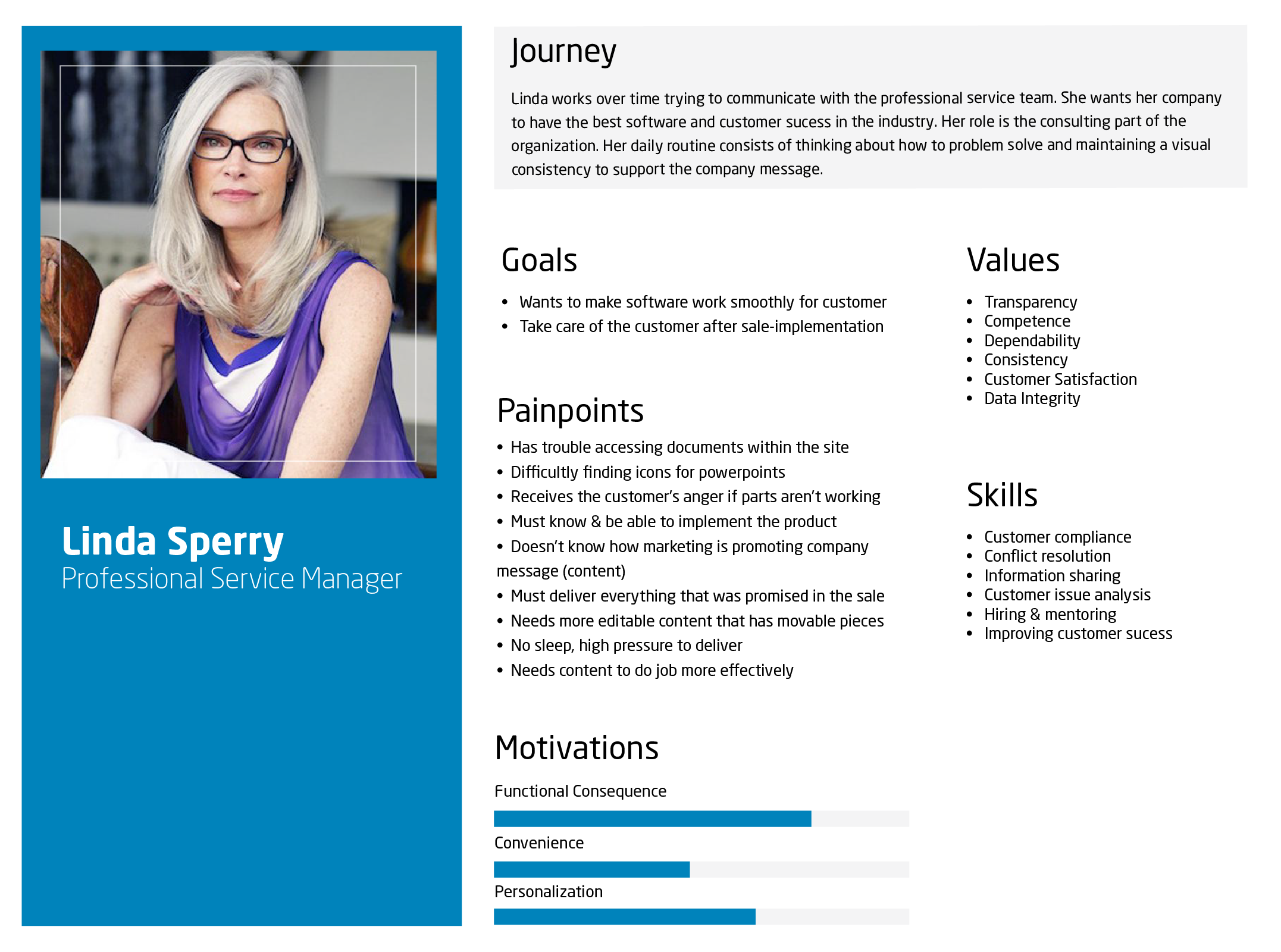
After brainstorming, I was able to make a site map of all the files on the original shared marketing website to understand the pre-existing site architecture people weren’t understanding. I began imagining different ways of organizing the files by creating mind maps and dissecting the site map of old files. I mapped out multiple types of users and generated a plan for conducting user interviews, making a potential prototype, usability testing, and a final prototype. But before diving further into the design, I needed to think about my user group.
Personas
Storyboarding
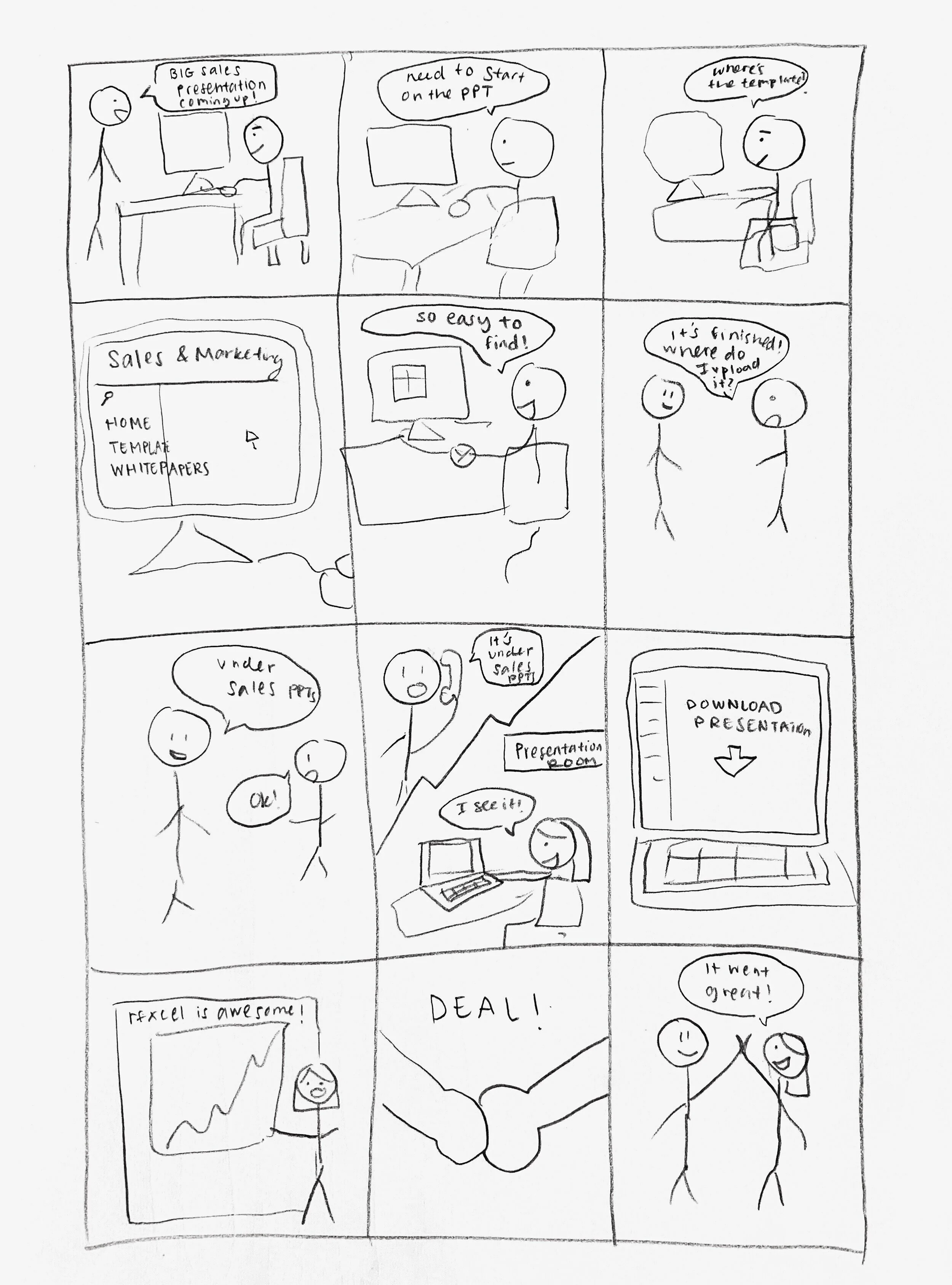
To understand my user’s story better, I put together a storyboard detailing when they would use the site. This helped me put my personas into context and understand the needs of my user as well as what they must go through on a day to day basis. At a smaller company, employees run very busy schedules because there is a lot of work to be done and less people to do it. Cleaning up the file organization, improving the site flow, giving users access to the most relevant documents first would improve their working experience.
User Interviews
These interviews would reveal the most painstaking problems of the existing site and help me understand the objective of employees. By hearing the difficulties occurring between team communication and file sharing, it allowed me to prioritize which issues needed to be solved first. Understanding the day in the life of the user is also important because it helps picture what stresses and pressures the user caries and what specific changes would significantly improve the current experience. The user interviews were conducted in person and also remotely through Zoom.
Questions
What is your daily routine like?
What are your top 3 needs?
What are your top 3 needs from marketing? (what people want from marketing)
What parts of the website do you use the most?
What are your pain points/difficulties with the current site?
How do you feel about the new organization of the site being proposed?
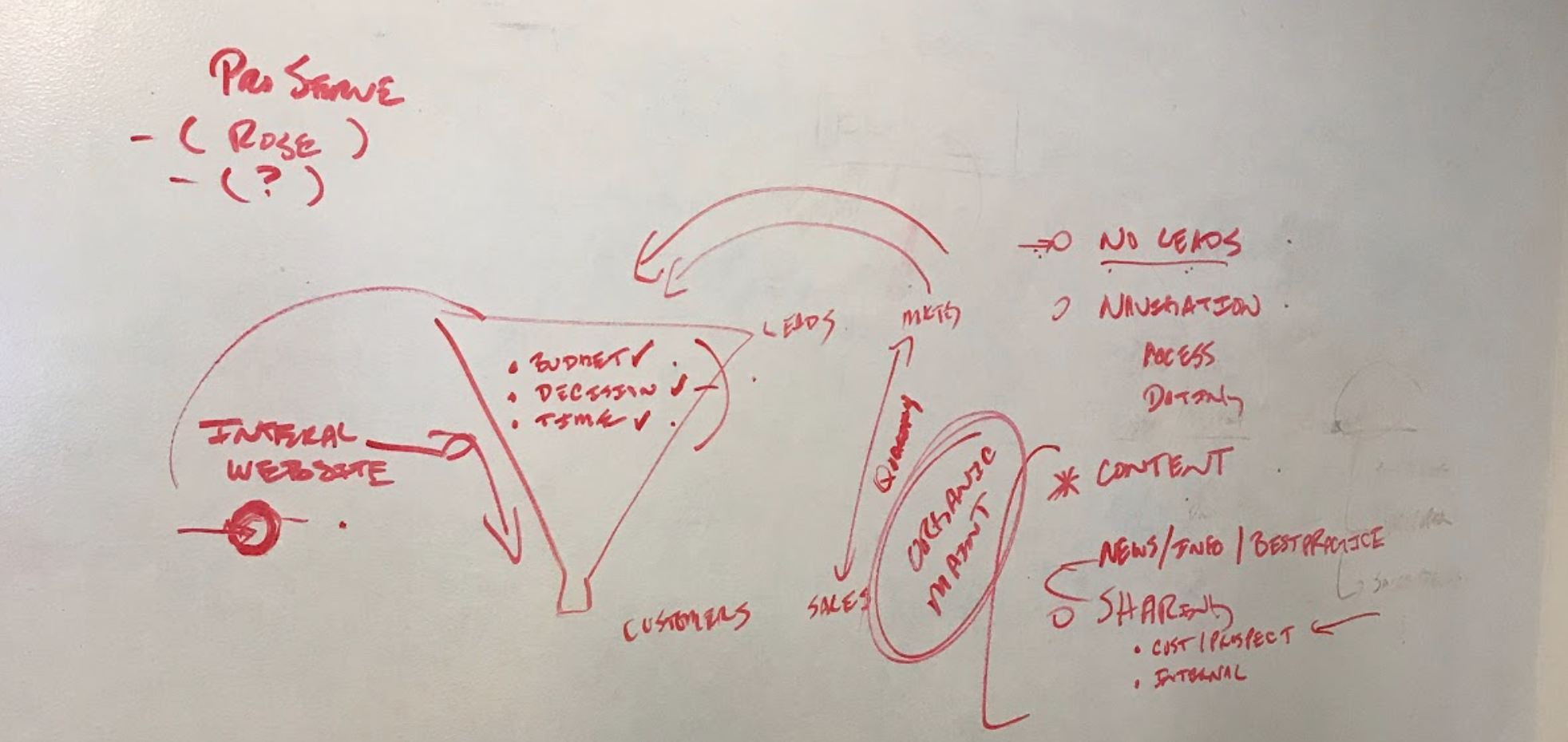
There were 3 main interview sessions: individual interview with the VP of Marketing, interviews with the Sales team, and interviews with the Professional Services team. I received great feedback and responses that painted a better picture of the user’s needs. The main needs seemed to be more new updates with what Marketing is releasing, competitive analysis, and distinct site structuring.
Most useful responses included:
“The key is to have a general folder, keep territory maps. The salesdeck is very important, we need folders for salesdeck, pharma, f+b, company, sales, distribution”
“File structure is not complex-it’s all about efficiency, visual document dating.”
“Helpful to have specific folders, clear organization and content is obvious that it is approved for events, things should be organized so they are event specific and communicates to Sales which material should be used for conferences.”
“Information needs to be more shareable, make more open messages.”
“It’s not organized, I couldn’t figure out where to even put a file.”
“Organize sales & marketing collateral for US, UK, other teams; we need a quick path to finding any sales artifact and to get info out as fast as possible.”
Paper Wireframing
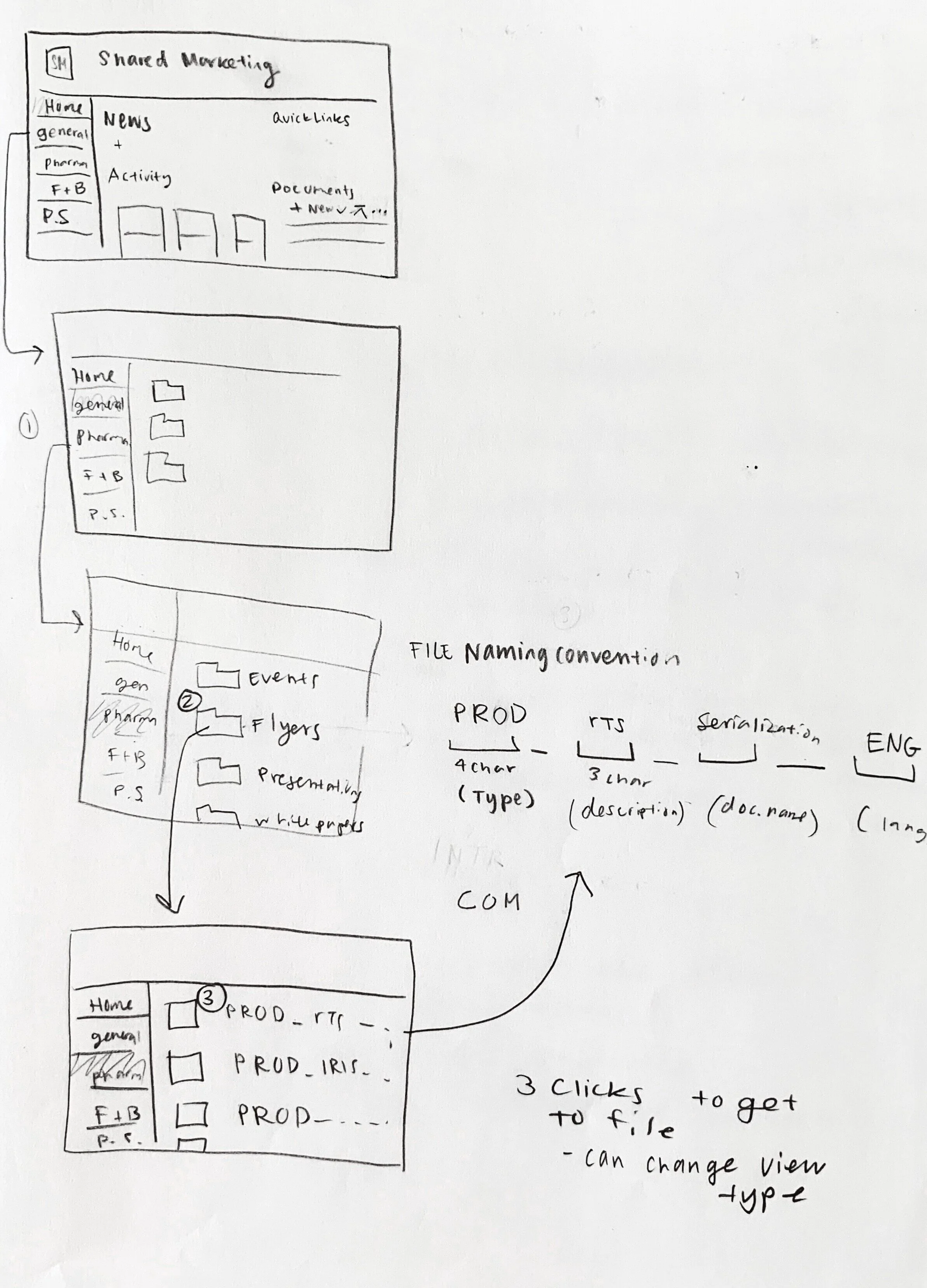
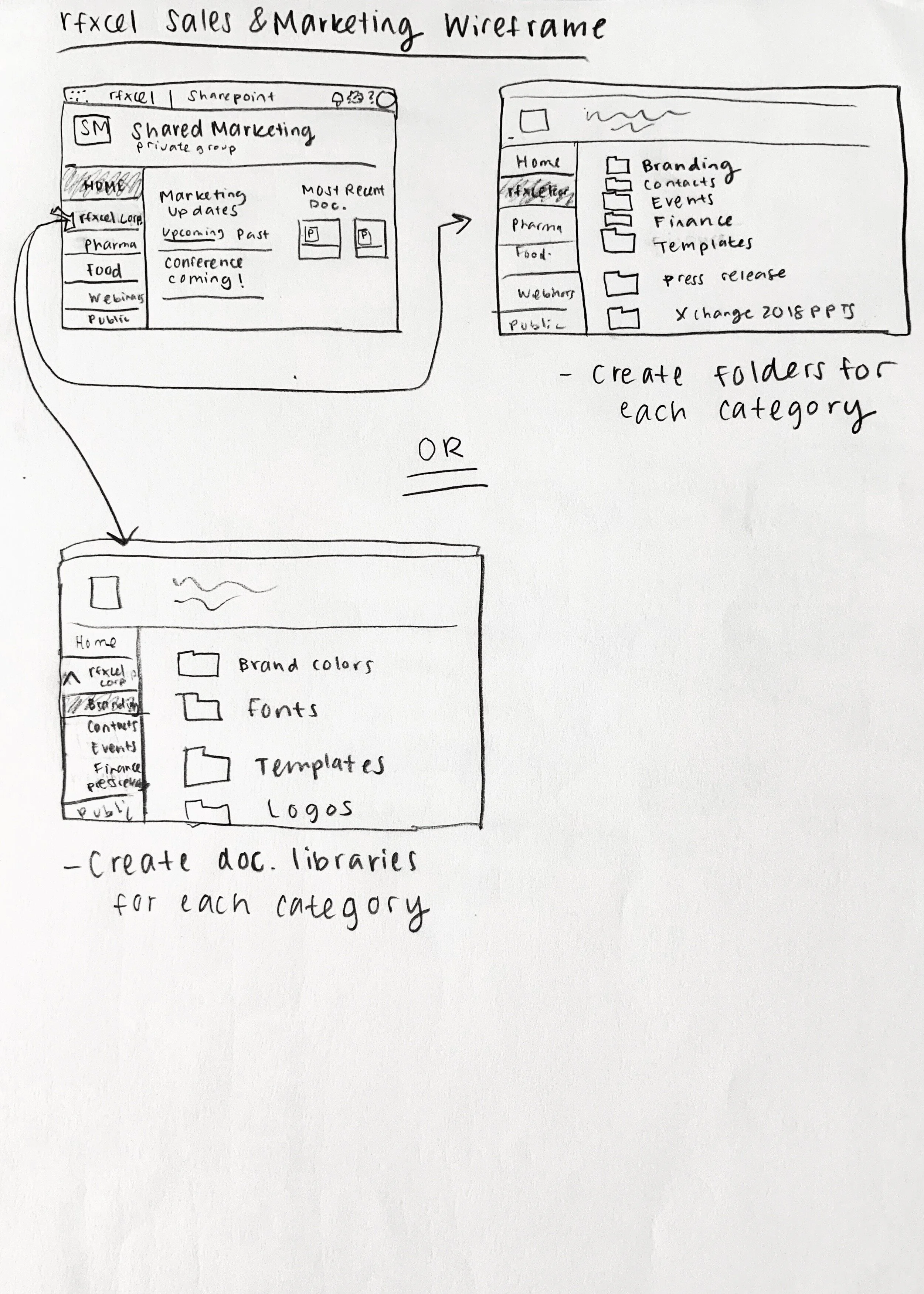
After getting the full perspective of what my users were struggling with and needed the site for, I was able to draft several ideas of what the new site would look like and how it would be arranged. I made a concept with navigation split by types of marketing collateral and then another split by the different industries of rfxcel.
Comparing the two concept wires, the interface looked cleaner splitting the files up by industry and then within each industry separate folders for the types of marketing material. Out of all the ideas of dividing up the information, I decided to move forward with the more simple navigation bar and the naming stack that made the most psychological sense based on how users were categorizing items during interviews.
Sharepoint Prototype
Homepage
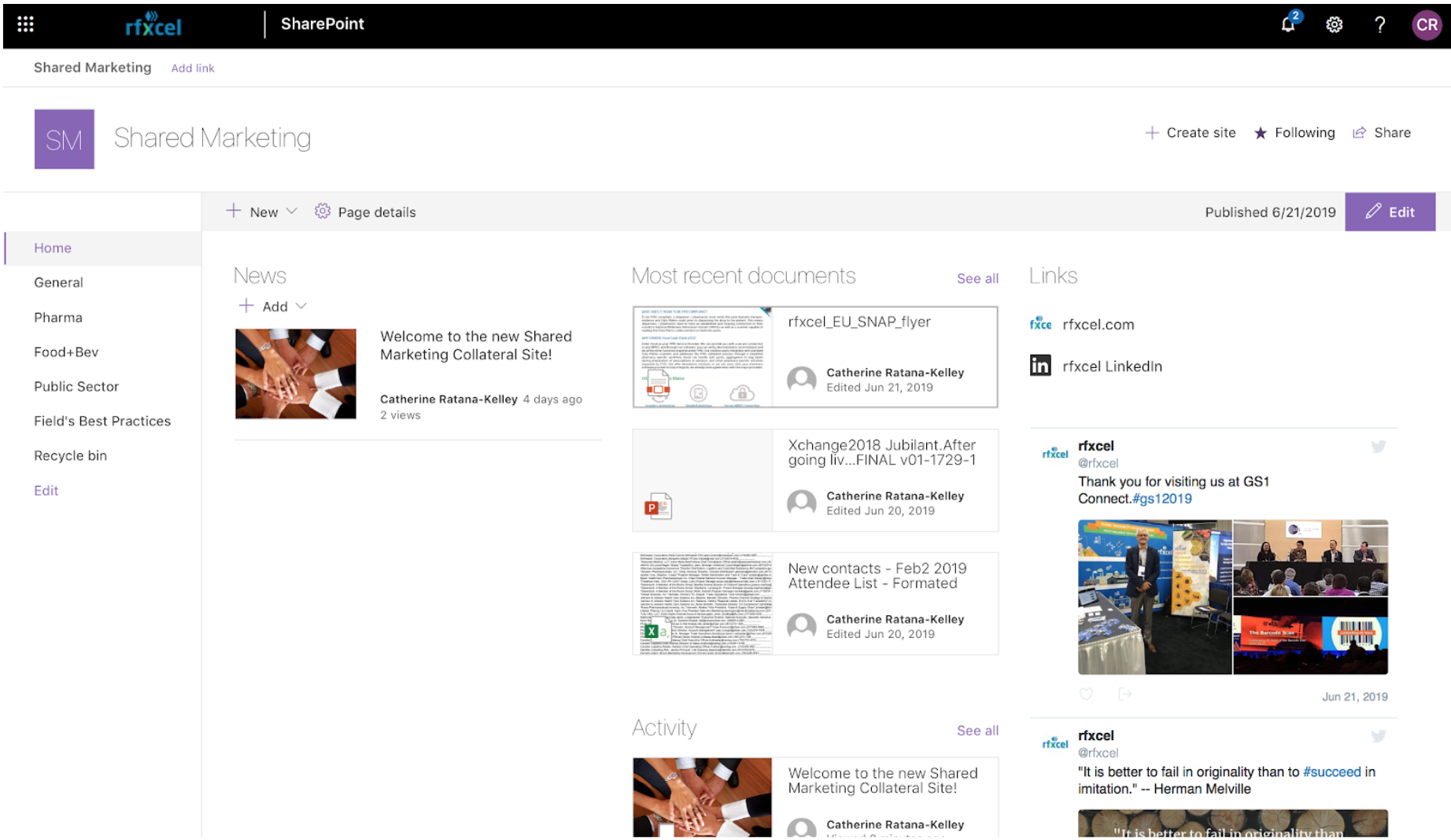
The added features on this page are the 2 most recent activity files on the local Shared Marketing website because it allows people to immediately see and download the last files they were just using. The most 3 recent documents used throughout all rfxcel sharepoint hub sites were also added because this gave users easy access to fresh content. In addition, quick links were added so people could access the rfxcel Linkedin and the main website quickly through a single click. A news update was added so people can make comments, give important updates, and stay in the loop of discussions.
Left Navigation
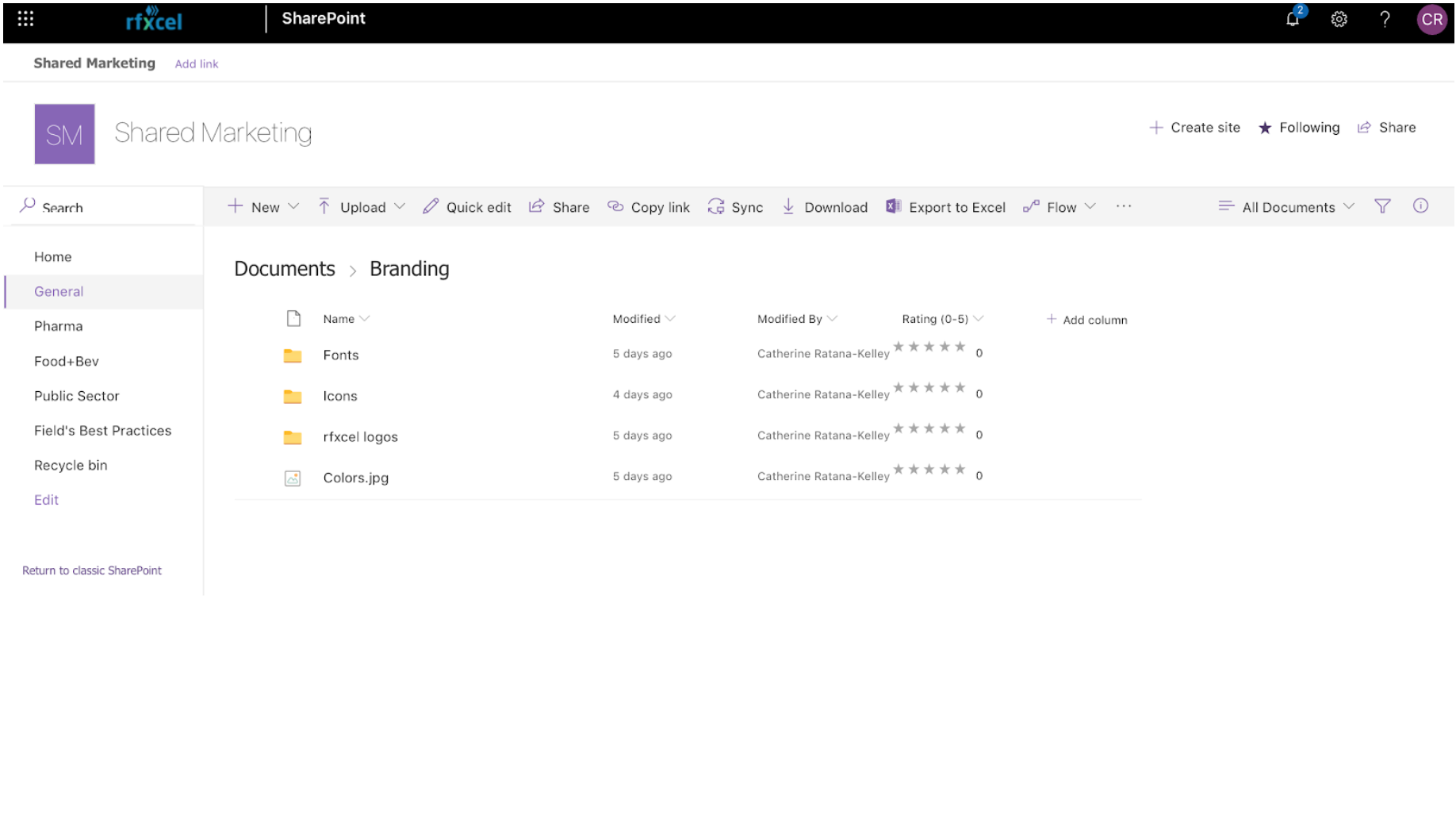
I created top level folders to organize all Marketing materials:
HOME – This page is used to provide written communications to the company and display the newest and most popular documents as quick downloads.
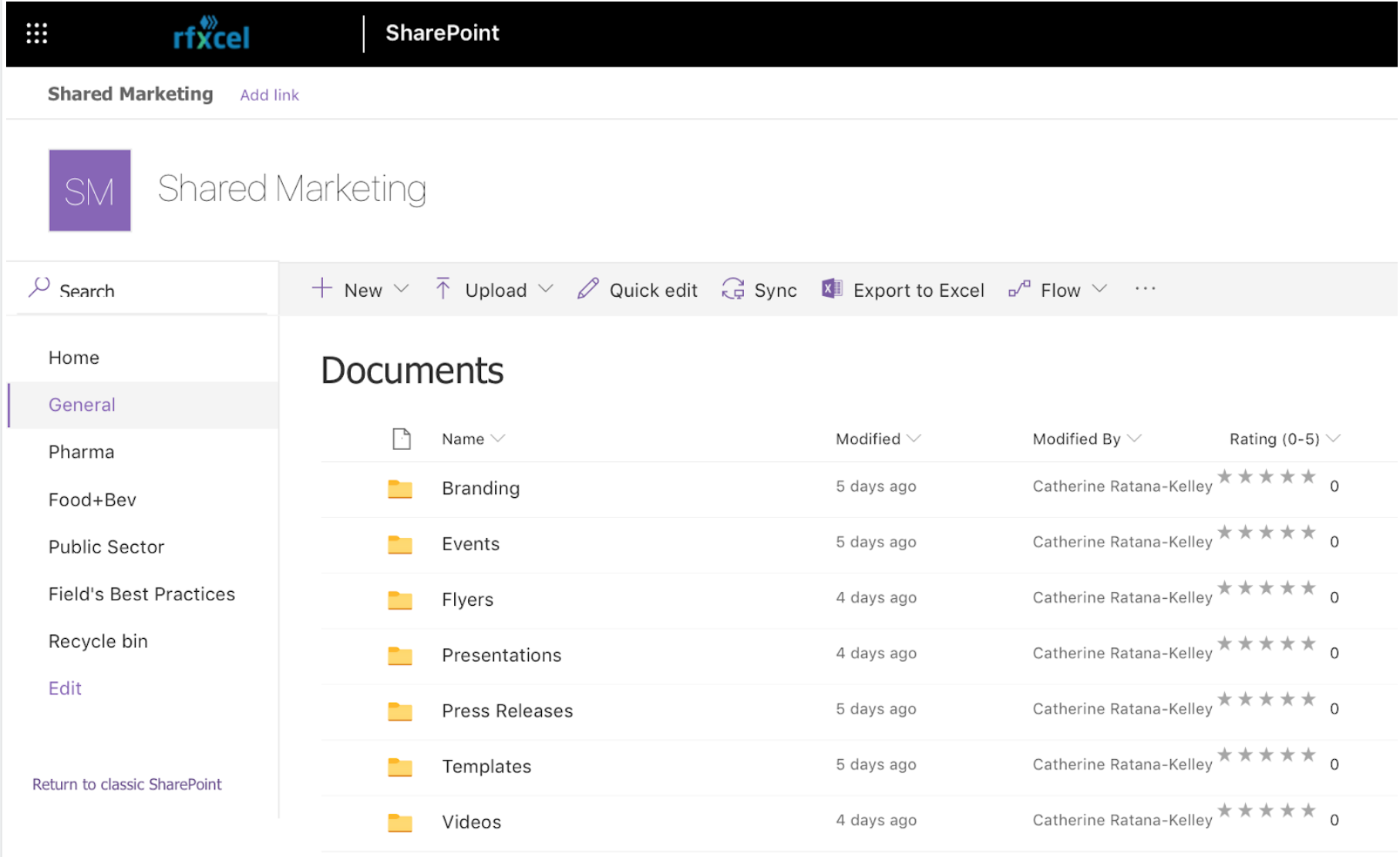
GENERAL – This contains marketing material that can be used across multiple verticals. For example, the Sales Deck is currently designed for all verticals.
Vertical Folders – This will have the same structure as the GENERAL folder but will contain content that is relevant to a specific vertical.
These are the vertical folders:
PHARMA
FOOD+BEV
PUBLIC SECTOR
FIELD’S BEST PRACTICES – This folder will allow non-Marketing teams to provide examples of content they created or changed. This content can be used to update or create official Marketing content.
Subfolders:
Within the GENERAL and Vertical Folders, sub-folders were created to organize Marketing Collateral:
EVENTS - This includes conference information, event specific templates, conference notes, event contacts, and any other materials received at that event. In the separate verticals, events will be organized by year.
FLYERS & BROCHURES -This contains all the highly graphical print related content.
OTHER MARKETING MATERIALS -This has more miscellaneous content that does not belong in the other folders but is still relevant.
PRESENTATIONS - This is where all completed powerpoint presentations will be located.
VIDEOS- This is where advertising videos, product demos, and other videos will be accessed.
WHITE PAPERS -This is where more written-based content (whitepapers) will be shared.
Final Results
In the end, I enhanced the internal experience of the Sharepoint site using my design thinking process by reorganizing documents, renaming folders to have a more consistent file-naming system, reducing the amount of clicks to get to a file, adding new star ranking features to filter most relevant material, making a language column tag for multilingual flyers, and including more relevant web-parts on the homepage. After this prototype was created, I shared it with all employees along with a google form with questions and suggestions to evaluate the functionality of the site. I then used the results to evolve the prototype to the final stage of iteration. It was so rewarding to improve a site that people use every day and hear back from users that the new navigation flow made it so much easier to find relevant files. Feel free to ask me more about the success of this project.
What I learned:
- I realized how valueable asking open-ended questions is because allows people to share what they care about most. Allowing users to choose what they want to discuss leads to new perspectives and discovery of new problems that need to be solved. Being able to empathize and understand motivations of interviews makes it easier to ask questions that are more considerate of what they are going through.
- I became a design advocate by explaining the value of human centered design and user experience to non-designers: engineers, salespeople, and customer success team members. By having a conversation about the process and explaining these methods in terms they care about allowed for shared understanding. This really taught me how important it is to learn various industry specific jargon.
- If you can add business value to your methods and design solution, you are able to have more creative freedom to help the user. Designing more usable solutions for internal sites, can help improve internal workflow and employee collaboration. Taking the time to sit down and let employees voice their opinions and current work situation can lead to a better work experience.
- I learned time management and transparent communication with my team, especially my mentor. I was able to be upfront about project progress and ask clarifying questions to make sure I was doing exactly what was expected and needed. Having to juggle multiple projects at once, forced me to be efficient with my time. Some of these projects included international flyers, product iconography, brochures, animation videos, internal sites, and the corporate homepage redesign.
Hopes and wishes:
I would have loved to continue applying more UX in more areas of the business if I didn’t have to go back to school. I hope to collaborate with more designers in the future. I would love to work with even more engineers and other cross collaboration teams because those were the times the best ideas and conversations would happen. It really proved to me that extremely diversified teams generated some of the best perspectives and solutions.