

TEAM: Computer science engineers- Abby Lee, John Paulus Francia, Nathan Hoffman, and Viswaas Prabunathan & UX Designer- Catherine Ratana-Kelley (Me)
WHEN: April 2020
ROLE: UI Designer, Design System Architect (collaboration)
TOOLS: Sketch, Adobe Illustrator, Wire-framing
Project Overview
During this fully remote project, I was chosen toward the end of the senior project to work with several computer science engineering students. My role on the team as a UI/UX designer was to create usable and intuitive design using the teams prior research & idea development. Through comparative analysis of popular messaging apps, I was able to gather best practices for visual and interactive components and put them to use in a design system. Having built a messaging interface for consumers focused on protecting their data taught me the importance of using human centered design as a means for practicing ethical innovation.
Defining the problem:
After reading about the abuse of user data and the team’s previous user research, there was an evident need to create a social networking service focusing on privacy and security. Once the problem was understood, the team devised a project model that would put user privacy first.
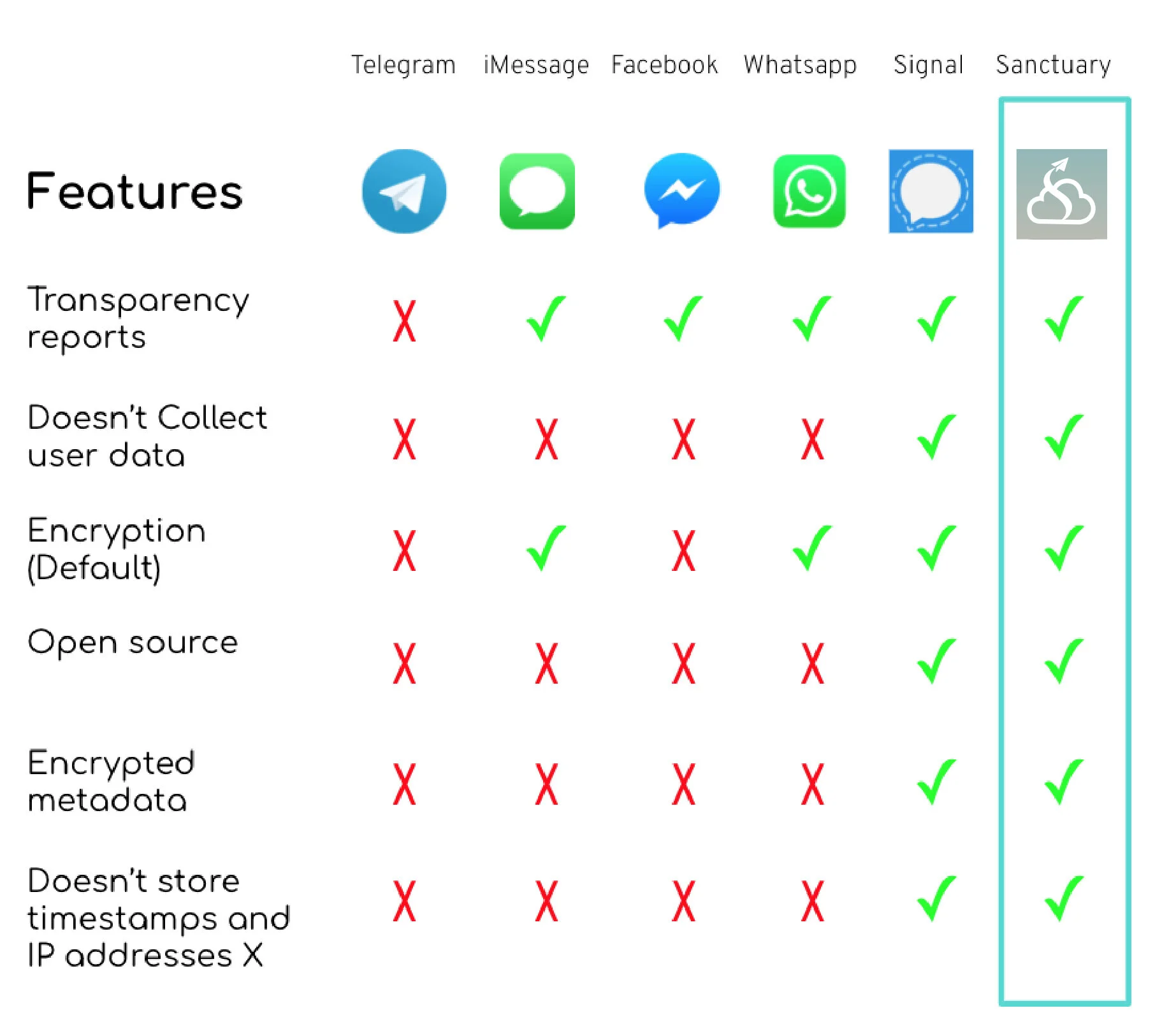
Sanctuary, an open source, cross platform social media app that implements:
two-factor authentication
end-to-end encryption
providing users with optimal security and privacy.
Many social media platforms today do not provide users with control over their own data, including where it is stored or with whom it is shared.
Sanctuary strives to be transparent about data storage and collects minimal user information. Sanctuary is an open source project that uses:
React Native
Amazon Web Services
TweetNaCL.js.
Preliminary Screen Navigation
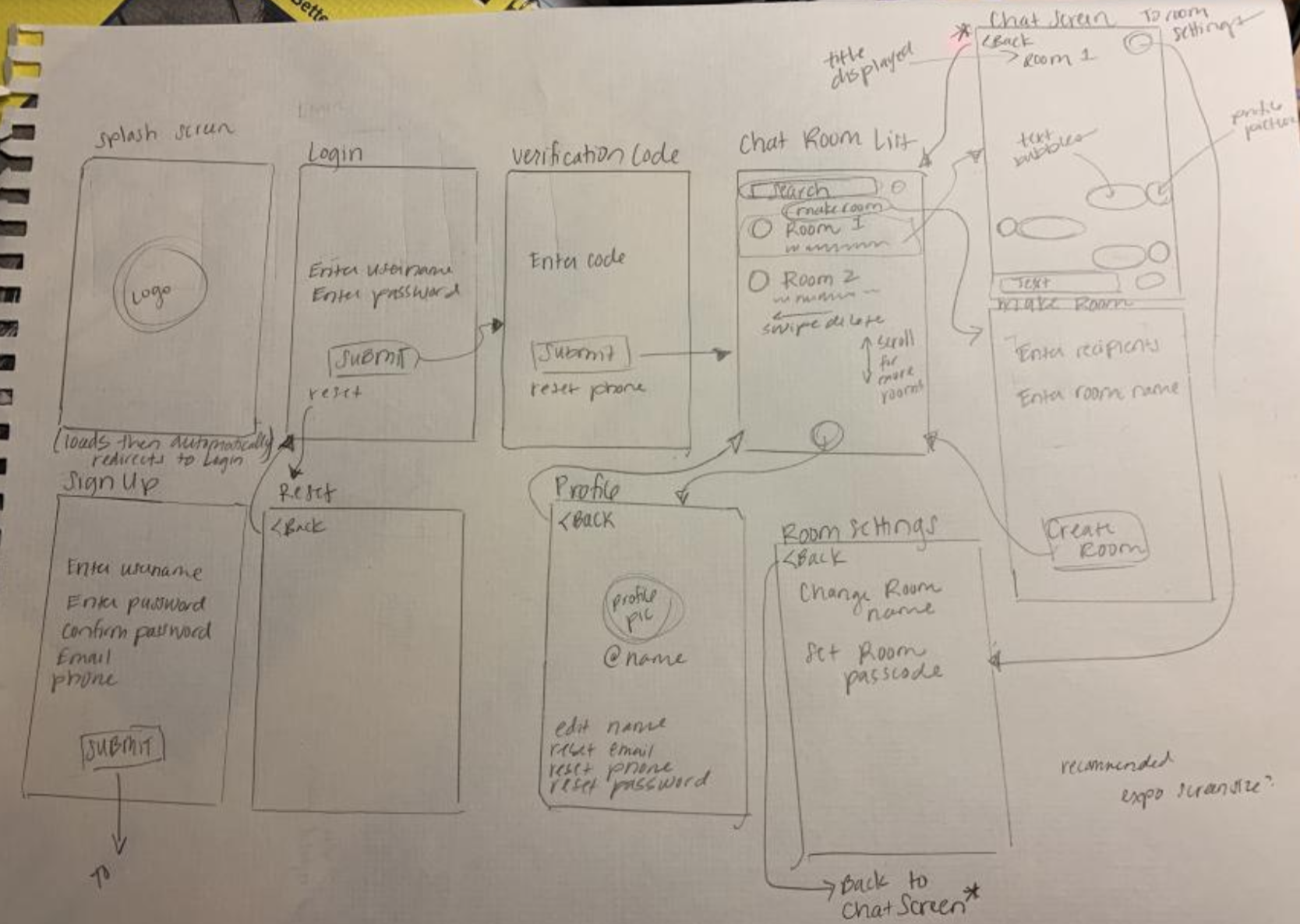
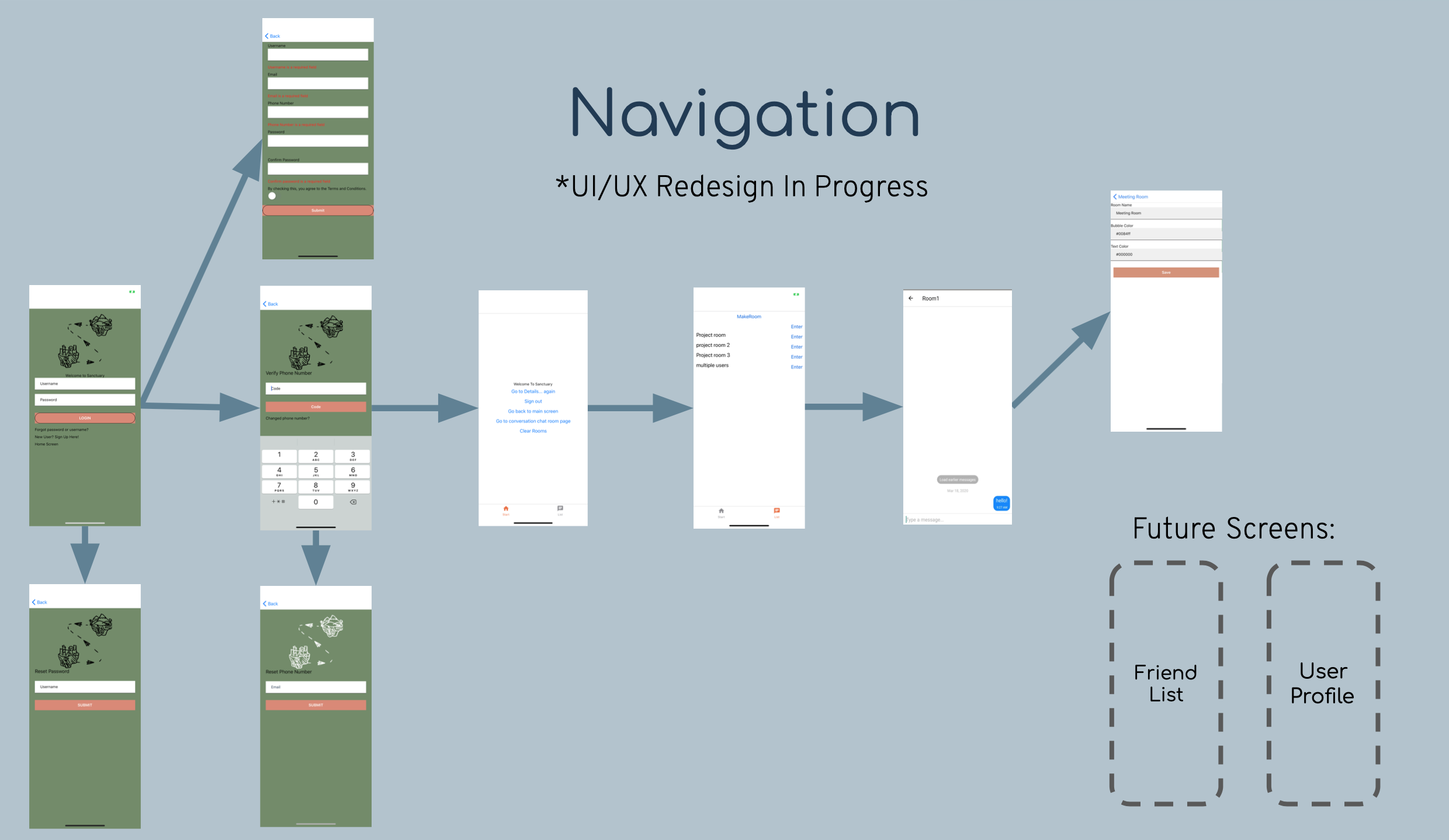
This is the original site flow that the team came up with. It only consisted of the minimum features needed to fully secure the privacy of the user. Using this flow as a starting point and looking at existing mobile authentication patterns , I was able to help create a more fluid user flow and craft a more intuitive interface.
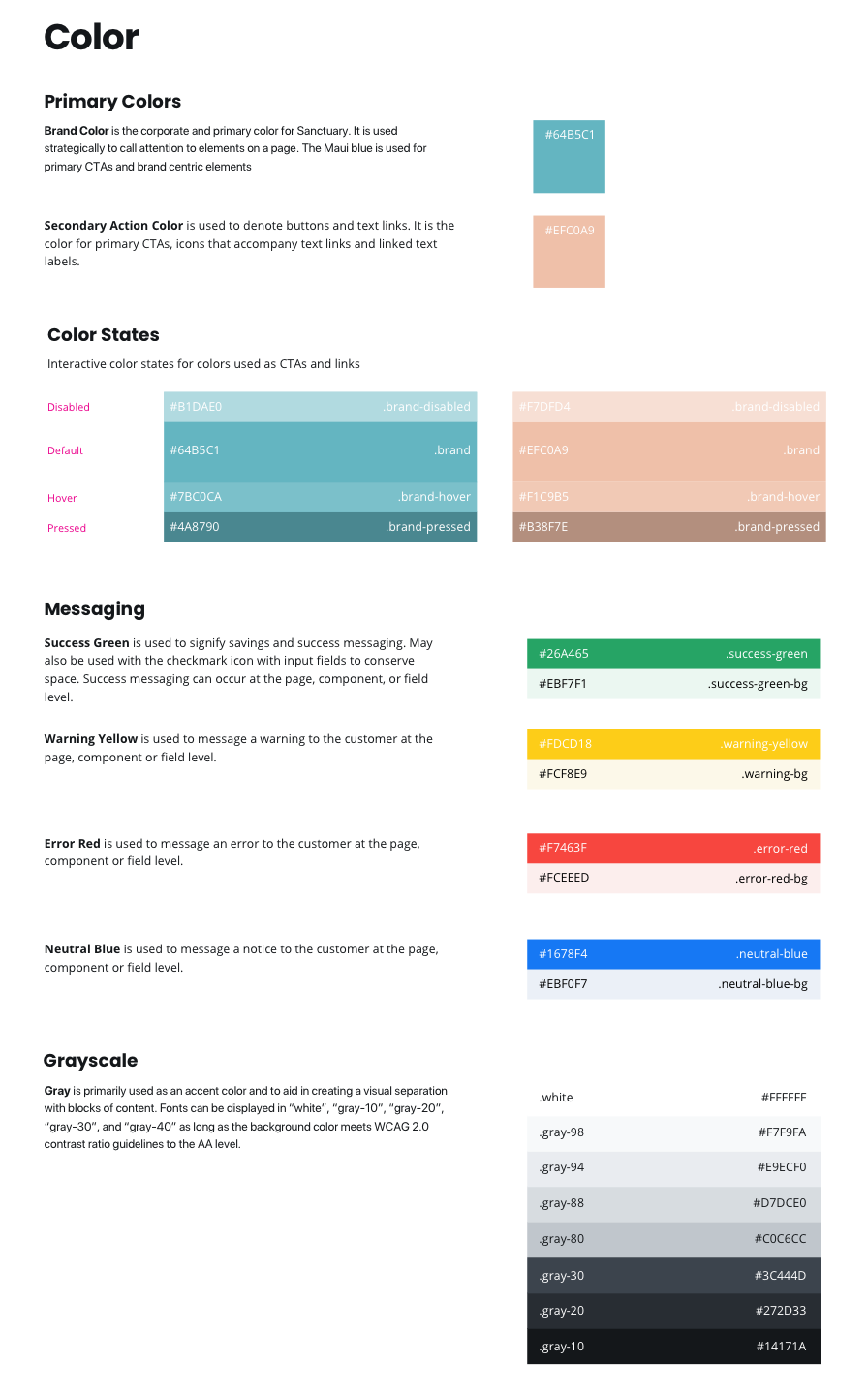
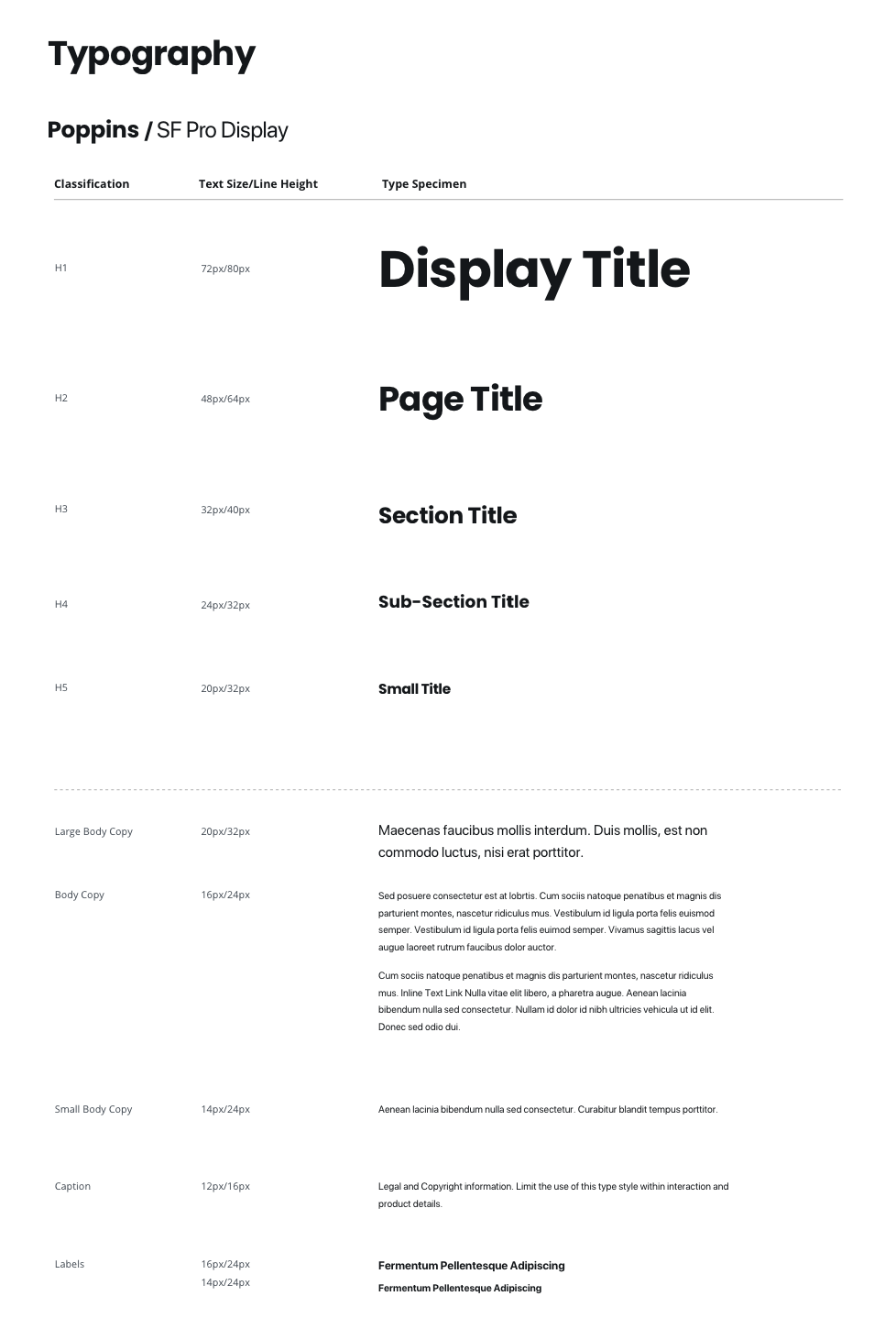
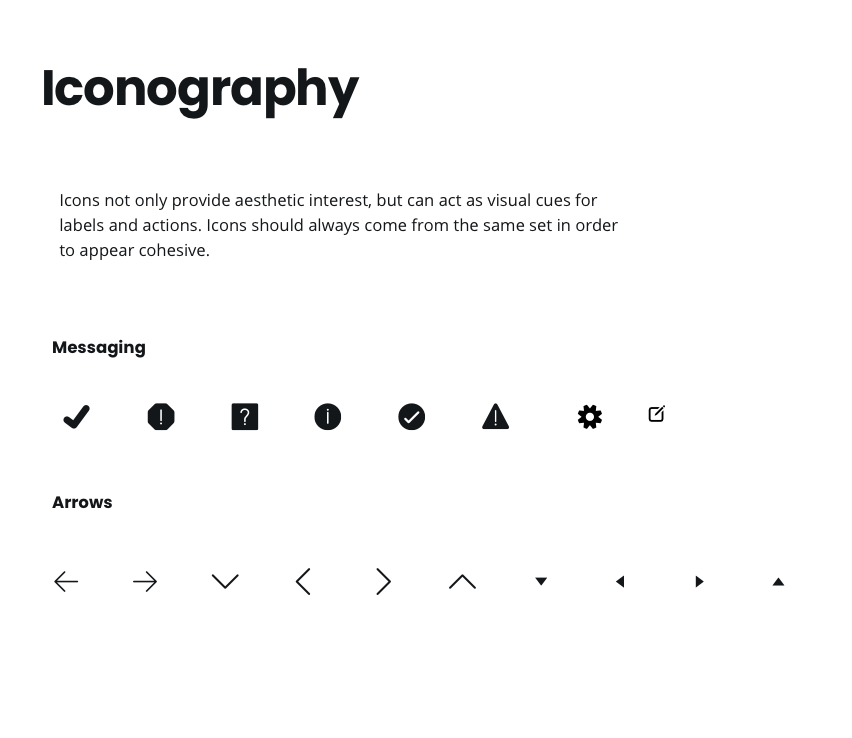
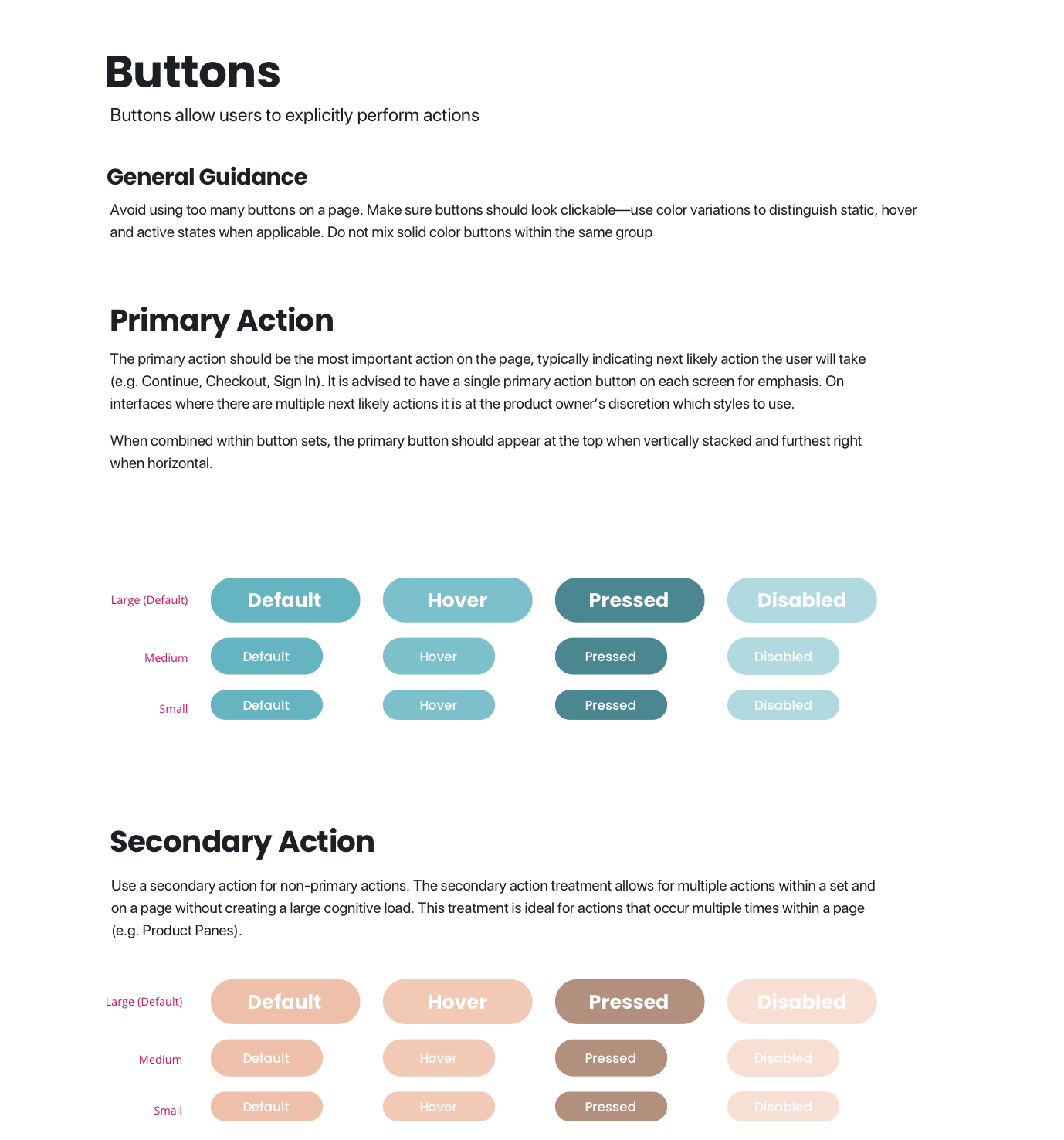
Building a Flexible Design System
Building a simple design system in Sketch made it easy to reuse components, maintain style consistency, and make changes quickly across the entire application.
Experimenting With User Flows
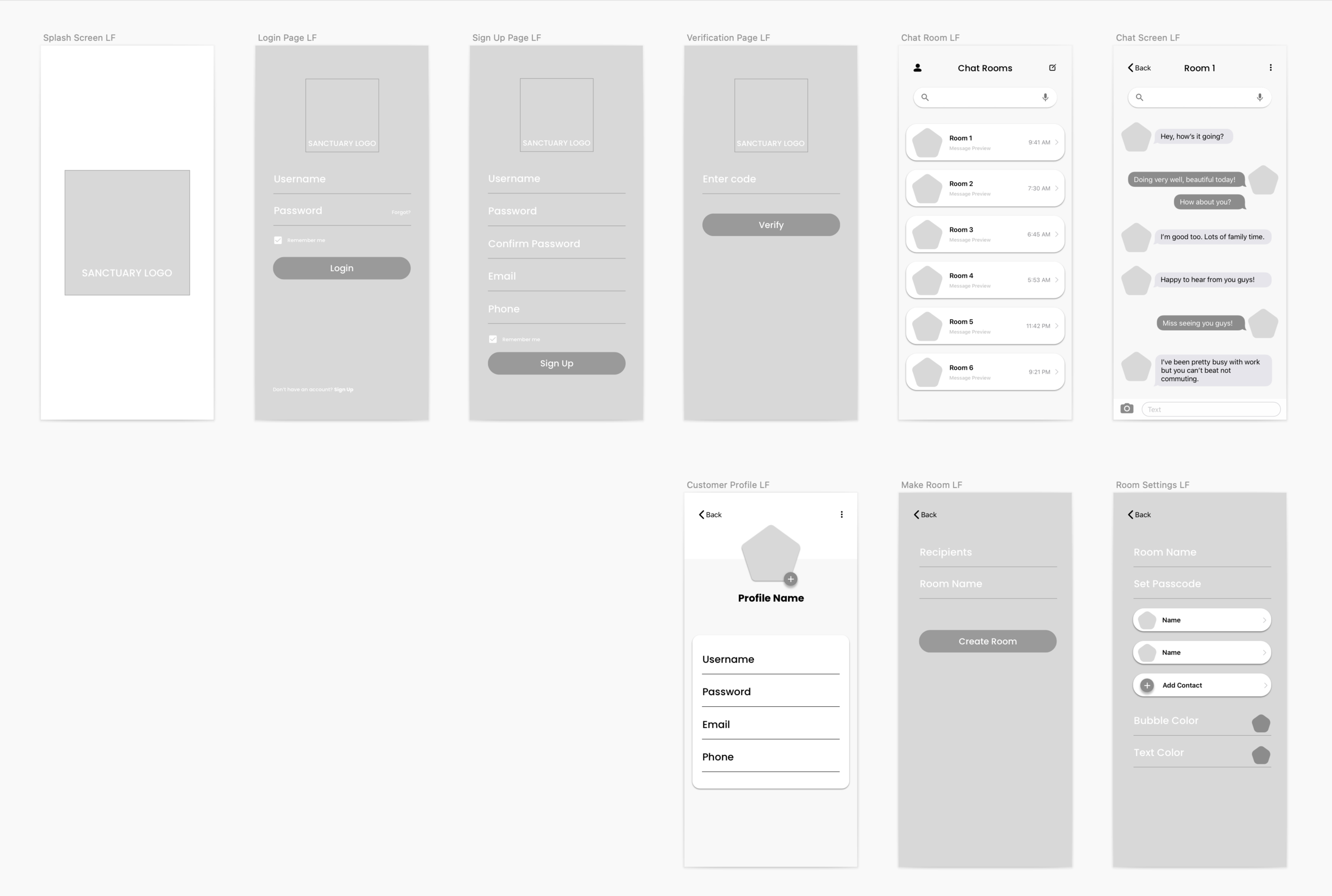
By mapping out where different forms and buttons were going to be first, made it easy to test the functionality of the user flow before adding color and fine-tuning the details. This skeleton allowed for focus on which scenarios needed to be built out as well as the how content was going to be structured in the layout.
Using the Design System to build the high-fidelity prototype:
Once the low-fidelity prototype had the ideal layout perfected, it was time to start plugging the created components in and seeing if they fit right.
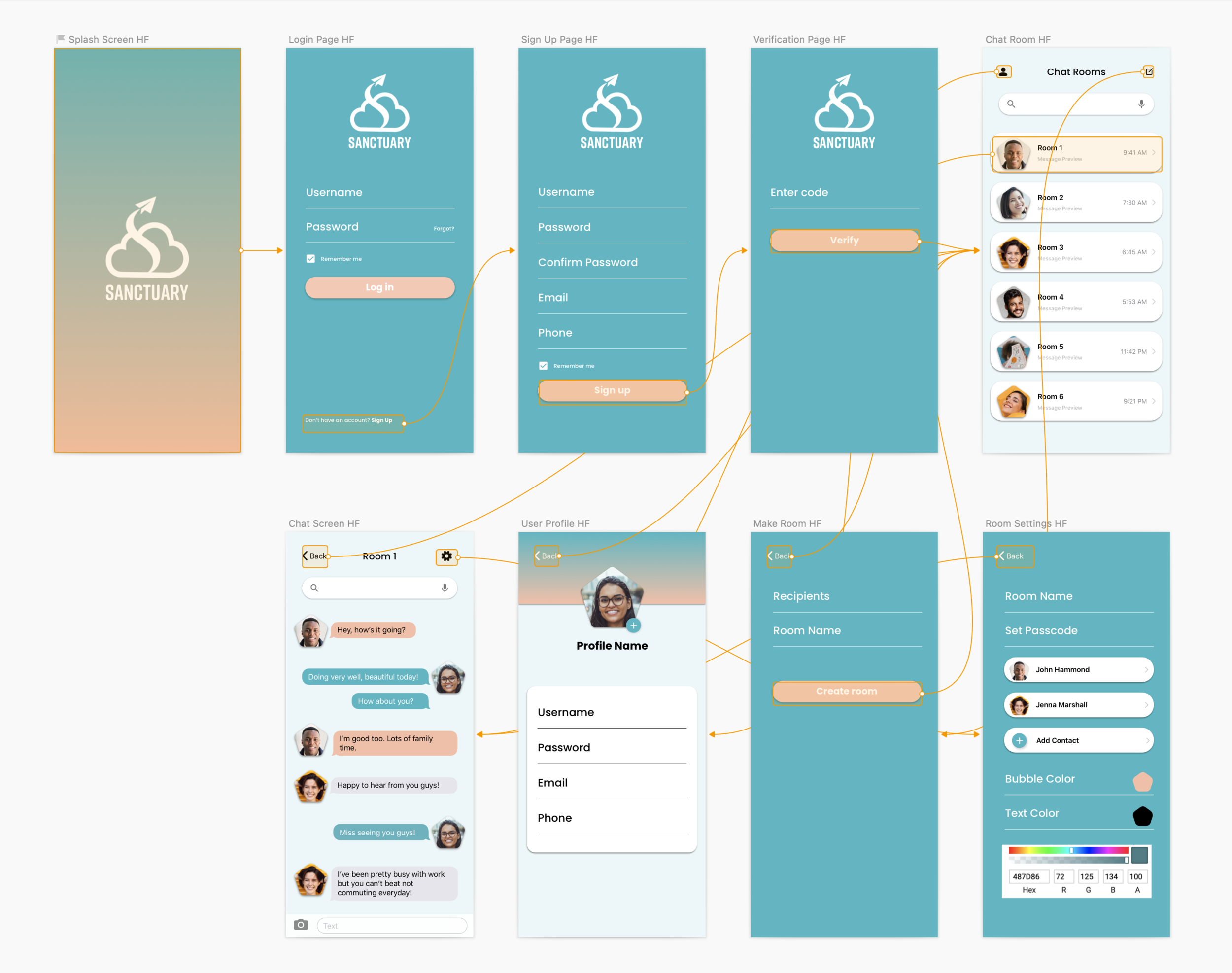
Here is the clickable linear prototype.
Below is a demo video of the prototype made in Sketch:
Final Implementation
Open Source
The Sanctuary Chat source code and documentation is available for free on GitHub.
What I learned:
- How to jump into a project that has already been started. I was able to pick up the secondary research, quickly understand the project concepts, and ask the right questions to jump into my role as UI/UX designer.
- How to communicate with engineers and explain specific design specifications in terms they understand that are easily code-able. Having a web development background definitely helped with coming up with a feasible design and knowing what information they would need to build this messaging interface.
- How to use Sketch as a UI tool and to properly create a design system that includes typography, color palettes, forms, iconography, and other usable components. This made it so much easier when transitioning from the mid fidelity prototypes to the high fidelity prototype. Being able to pull from a library of components worked like magic! So much faster than to have to build everything from scratch & remeasure pixel by pixel.
- How to design for a larger demographic of users. The team explained they wanted the app to work for someone who was as young as 13 years old to someone who was 70 years old since it should be as usable as all the other existing messaging interfaces.
Hopes and wishes:
I wish I had been able to do in depth usability testing and have had more involvement during the development process because not all my design suggestions were used in final implementation due to time constraints. However, I was really happy with the outcome of the user flow and that the app successfully protected & encrypted messaging data.